
Description
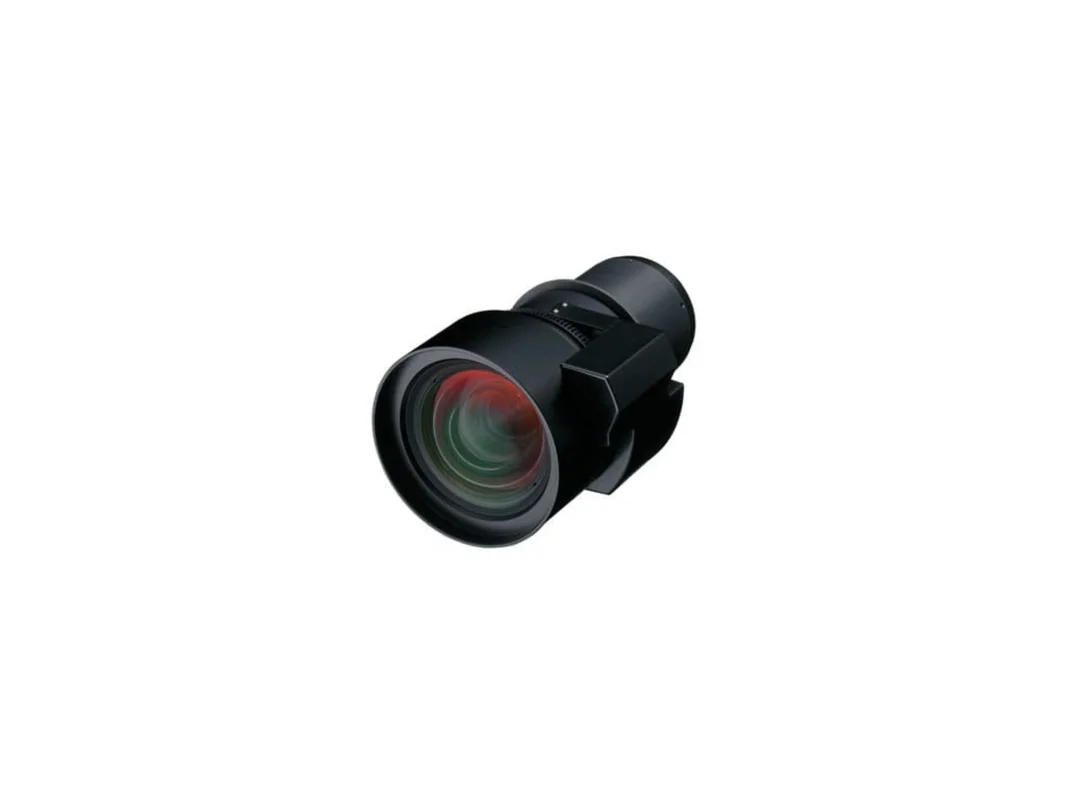
Epson V12H004R04 – Rear Projection Fixed Lens (ELPLR04) – V12H004R04D
Epson’s Rear Projection Fixed Lens (ELPLR04) is an interchangeable lens that works with PowerLite Pro Z10000U, Z1005U, Z9870U, Z9875U, Z9750U, Z11000W, Z9900W, Z9800W, Z11000, Z11005 and Z9870 Projectors.
- Rear Projection Fixed Lens
- Interchangeable lens
- Works with PowerLite Pro Z10000U, Z1005U, Z9870U, Z9875U, Z9750U, Z11000W, Z9900W, Z9800W, Z11000, Z11005 and Z9870 Projectors.
- Rear Projection Fixed Lens
- Interchangeable lens
- Works with PowerLite Pro Z10000U, Z1005U, Z9870U, Z9875U, Z9750U, Z11000W, Z9900W, Z9800W, Z11000, Z11005 and Z9870 Projectors.
*]:pointer-events-auto [content-visibility:auto] supports-[content-visibility:auto]:[contain-intrinsic-size:auto_100lvh] scroll-mt-[calc(var(–header-height)+min(200px,max(70px,20svh)))]“ dir=“auto“ data-turn-id=“request-WEB:981d5b1f-2bf4-4286-bba7-806a48bfb2d8-98″ data-testid=“conversation-turn-4″ data-scroll-anchor=“true“ data-turn=“assistant“>
What Our Experts Think
-
Optimized for rear-projection: Delivers clear, uniform images in tight or controlled environments.
-
Seamless compatibility: Works flawlessly with multiple Epson Pro Z-Series projectors for flexible installations.
-
Ideal for professional setups: Excellent for museums, retail displays, command centers, and staging environments.
-
Reliable optical quality: Fixed lens design ensures consistent sharpness and minimal distortion.
Q&A
Q: What projectors is this lens compatible with?
A: It supports Epson PowerLite Pro Z10000U, Z1005U, Z9870U, Z9875U, Z9750U, Z11000W, Z9900W, Z9800W, Z11000, Z11005, and Z9870 models.
Q: Is this lens meant only for rear projection?
A: Yes—it’s specifically engineered for rear-projection applications.
Q: Does the fixed lens provide zoom?
A: No. Being a fixed lens, it offers a preset throw ratio for stable image sizing.
Q: Is image quality affected in bright environments?
A: No. When paired with compatible high-brightness projectors, it maintains excellent clarity.
Maintenance Tips
-
Clean the lens surface gently with a microfiber cloth to avoid scratches.
-
Use protective caps whenever the lens is stored or not mounted.
-
Avoid extreme temperatures to preserve optical precision.
-
Check projector alignment routinely to ensure rear-projection clarity.
-
Keep the projection area dust-free for optimal long-term performance.

Reviews
There are no reviews yet.